What is a QR Code

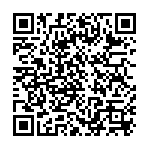
My QR Code with my contacts

Ever wonder what that funny looking Barcode thing on newspaper ads and beer cans is? Well it’s called a QR code and it’s a fad that catching on. Just like a barcode that encapsulates information into lines of varying size–remember that thing cashiers scan at the checkout aisle? A QR code is exactly like a bar-code but in 2 Dimensions rather than just 1.

A QR code encapsulates information into a digital block of black and white squares. However, unlike barcodes that are single dimension across one line, a QR code is 2-dimensional across both length and height. That extra dimension however, allows it to store FAR more data than a regular barcode. This extra dimension is why some call a 2D-barcode.

QR codes act like barcodes, but instead of storing numbers that need to be deciphered, QR codes store actual information in text form. So for instance the bar code for a bottle of Orange Juice would be deciphered as 11232323 , and then the supermarkets computer would tie that number to the price and description of the Orange Juice. From my previous knowledge of working with these things, I believe their called SKUs.

The QR code for the bottle would be deciphered as, Sunkist Orange Juice 5L: made in America. With all that information in text form, rather than just a number to be looked-up.

[Read more]

Creating a email for your domain using Google Apps

So with the latest that the Malaysian government hopes to spend upwards of USD15 million to give every single Malaysian above 18 years of age an email address, I just noticed I have no email address @keithrozario.com

Unfortunately, Nearlyfreespeech.net (my web host) does not provide a email like other webhost do. If you’ve got your website hosted on goDaddy, Dreamhost or bluehost, you’ll have in built email functionality. If you’re with Nearlyfreespeech, you’re on your own (which is why they’re cheap).

That being said, Google also offers free email service for your own domain and it’s much better than whatever offered by GoDaddy or Dramhost. So no matter where you host your domain, I advise you use Google Apps to host your email. Here’s a quick and dirty tutorial on how to setup your Email on Google apps, and have Google host your domains email for FREE!!

[Read more]

LinkedIn reaches 100 million members

According to the LinkedIn blog, LinkedIn that ever popular ‘professional’ facebook like thingy now has more members than the population of Australia, Malaysia, Singapore combined. LinkedIn has grown to a more niche social network that proves Facebook isn’t the only kid on the block, and niche networks like LinkedIn do have a future, for instance we’re more likely to search for a job/talent via LinkedIn than via facebook, and for the most part it’s probably better to keep our social (facebook) and professional (linkedIn) lives separate.

[Read more]

Hire Me!!

One of the reasons I starte

d this blog was to try out new things and see if I could land a job with an impressive website. I love my current job, but it’s a bit unstable, so I’d thought it’ll be wise to remain marketable. It’s one thing to tell people I’m a Business Analyst with strong technical skills, and a whole other thing to display a full blown webpage with yourname.com.

So I searched the web for resume templates, my initial idea was to have 2 wordpress themes. One for the main blog, another for the resume. However, I discovered it’ll be a whole lot easier to just find a CSS/HTML template and copy that to a separate location and link it from my blog.

[Read more]

Analytics for your blog

Analytics are those little bits of code that allow you to track vital statistics of your blog. Things like:

  1. How many people visited my blog
  2. Where did they visit from
  3. Which country are they from
  4. How long did they read my blog
  5. What’s my most viewed post?
[Read more]

Making my blog ’look’ more professional.

You can always tell the difference between a ‘standard’ blog that’s hosted off blogger or wordpress and one that looks professional. Obviously the first thing that comes to mind is the themes. If you’ve got a theme at least your blog would look a bit different, if you’ve got a premium theme (one that you bought for either 20-100 dollars), then chances are none of your visitors have seen the theme before and your blog would look a whole lot more individualistic.

I gave myself a 100 dollar budget for this blog and currently I’ve got 80 more dollars to spare. That’s not bad, considering I spent 20% of the budget and already have a good looking blog. Even though the budget permitted, I’d thought I’d save a bit of cash on the theme and just get a free one. There are some others things you can do to make your blog look a bit more professional though:

[Read more]

Installing those damn social media widgets.

Installing wordpress was a breeze. In fact installing wordpress was so easy I was just awestruck by it’s simplicity. Wordpress ROCKS!

Installing themes was also relatively straightforward. Some themes worked seamlessly, others took some tweaking but overall with a little html/css knowledge you’ll get the hang of it. However I had to install some custom widgets to make my site look a bit more presentable.

I installed ‘Social Media Widget’ and

[Read more]

The start of the blog.

After a long time,  I couldn’t really figure out how to install the social media sharing buttons, and thats why it still appears to be all over the page. I’ll need to figure out to to install a good widget for sharing at the bottom of my website. Hopefully.

Before that though, I’d like to share with you the story of my blog.

[Read more]

My Second Post

Ok Cool, so I’ve got Social Media widgets on the side and the option to tweet and like my post.

If only I could include facebook share on the page, without messing up the design.

[Read more]