Posts for: #Security &Amp; Privacy

WTF is a bitcoin?

WTF is BitCoin

WTF is a bitcoin? There’s much ado over the digital currency and many people struggle to understand what it is. In fact, even I haven’t fully grasped the fundamental nature of how it works–but then again I don’t know how the banking and fiat currency system work, yet I still use it.

In essence, there’s been a huge amount of really technical literature written about bitcoin, but most of it is long–really long, and unless you’re prepared to spend a few hours and some mind-numbing amount of effort to digest it, I took it upon myself to distil my knowledge of bitcoin so that you have at least a working knowledge of it.

So here’s bitcoin explained.

Don't think of it as a currency

The first mistake people make is thinking of bitcoin as a currency, the analogy works but not so well. A piece of paper currency has a valued ascribed to it by a central bank. In Malaysia, Bank Negara controls and regulates the Ringgit--and it can restrict foreign outflow (just like we did in 1997) and we can print more ringgit to pay of debt (just like what the British did with the Pound). In essence the value of the ringgit isn't 'regulated' by Bank Negara, it is controlled by Bank Negara, and they have a whole bunch of levers that they can push and pull to raise or lower the price of the Ringgit.

On the other hand we have precious commodities like Gold. Gold isn’t regulated by any one central government or bank. The value of Gold is purely a result of the supply and demand in the marketplace, and just like any other precious commodity, part of that value lies it is rarity. It’s rare, and mining it is complex business, so the supply of Gold into the market is controlled by natural consequences.

Gold is valueable because it has value–a currency is valuable because a government says so.

So the best way to think of bitcoin is to treat it as digital gold rather than digital currency.

[Read more]

What kind of Porn do Malaysians watch

Let’s be honest–Malaysians watch a lot of Porn.

On the outside, we may espouse our ‘Asian’ values and culture, but the cold-hard data suggest we’re as horny as the Japanese. In one of my past post, I showed how we have evidence of someone using the Government internet connection to download porn.

Today however, PornMD the self-proclaimed “biggest porn search engine” released statistics as to what Malaysians were searching on their site. The results aren’t that surprising, although I was quick shocked to see Tudung on there–apparently some people find it kinky.

[Read more]

How to prevent your Unifi account from being hacked

OK....I made a boo boo!

Actually my method of 'hacking' the Unifi modems has a ridiculously simple work-around. Unfortunately, when I published the findings I was absolutely convinced the workaround didn't work--I was wrong :(

Details about how I was mis-lead are unimportant for now (although I will explain it later on), for now I think the simplest way to address and to make yourself more secure (though not 100% secure) is to disable remote management of the router. Don't worry here's a step-by-step guide on how to do it.

[Read more]

How I hacked 4 Unifi accounts in under 5 minutes

So I was wondering if I should publish this, but I guess I have to. If you’re one of the 500,000 Unifi subscribers in Malaysia, you need to know that your stock router–is completely hackable. TM has left you literally hanging by your coat-tails with a router that can be hacked as easily as pasting a link. So I was struggling to figure out if I really should have made this post, but in the end I think it’s better for you (and everyone else) to know just how easy it is to Hack Unifi accounts–not so you can hack them, but so that you can take some precautions over the situation.

But first, some caveats–everything I’m showing here is already public knowledge, the only difference is that I’ve culled and aggregated knowledge from different streams to show you just how easy an attacker can circumvent your password protection on your Unifi Dlink DIR-615 router, which is the stock router that comes with Unifi. It’s better for you to know about it than to remain oblivious to possibility that anyone from anywhere in the world, sitting in their room with their pyjamas on, can log onto to your router and start doing some rather nasty stuff.

Second caveat, is that as a result of this, some ‘kiddy-hackers’ may see this post and now be empowered with the means to attack, that’s a risk I’m willing to take to allow for everyone to know about it, so that they can do something about it. Keeping everyone in the dark about vulnerabilities of their routers is not a good thing. Security works better when everyone has access to the same information, this is how security works, and if you don’t agree–well tough luck.

With that said, here’s how you use Shodan, and a well known exploit to hack Unifi. The final exploit which doesn’t require any knowledge of the passwords starts at 4:08

Update 22-Jun: My Apologies: YouTube have removed my video because someone reported it as being inappropriate. I am appealing..I’m not sure what about the video was inappropriate, and I have made no attempt to mis-lead anyone. Stay tuned. I’ve updated the video with a Vimeo upload instead.

Video Rejected by Youtube

Hacking Unifi Dlink routers using Shodan from Keith Rozario on Vimeo.

Details of the hack:

  1. To access the password page the appendage is /model/__show_info.php?REQUIRE_FILE=/var/etc/httpasswd

  2. To search for Dlink Routers on Shodan the query is Mathopd/1.5p6 country:MY

I’ve alerted TM to this much earlier, in August 2013 actually, and they promised they’d fix it by the end of the year. To be honest though, I don’t blame them, your router security is your responsibility and not TMs, so I think that TM isn’t doing anything wrong by not doing anything. A user should be responsible for the security of the router, just like how you are responsible for the security of your phone–even if you did get it free from Maxis or Digi. So anyhow, in the absence of any clear action from TM, I’ve taken it upon myself to inform you of the router vulnerability, and here’s hoping you do something to fix it.

As always–stay secure.

To address the issue check out my post on how to prevent this on your Unifi router, click on my post here.

[Read more]

Of pirated software and vaccinations

4699834026_5d07d3ea19

Here’s a quick question–do you have a ‘original’ version of Windows running on your PC or is it pirated?

If you’re like me, then obviously you’ve learnt long ago to only use original versions of software–especially when it’s the operating system of your PC. Of course, I wasn’t always like this, back in my university days, I couldn’t afford the couple hundred dollars it cost to buy an original Windows XP, and hence used a pirated version–my windows installation CD was actually burnt from a pirated CD, I wonder if that made me a pirate of a pirate?

One of the things that puzzled me was that even with my obviously pirated software, I could still download Windows software security updates–something I thought represented Microsofts failure to engineer a way to check on the legitimacy of my software. It wasn’t until much later, that I discovered the true reason for Microsoft seeming benevolence–Microsoft was merely protecting it’s paid customers by providing free updates to the pirates.

Say what now?

It may sound ironic, but one of the best ways for Microsoft to provide security for their paying customer is to ensure that even the pirates receive security patches.

Imagine for a moment if Microsoft didn’t allow patching for pirated Windows, and assume that 20% of the Windows machines on the internet were pirated. What that would mean is that 20% of all PCs on the internet would be vulnerable to each and every Windows vulnerability discovered. That’s a large chunk of customers that would be affected, and the real down-side is that the 20% of pirated customers could end up re-infecting legitimate paying Windows customers. So in order to reduce the spread of vulnerabilities in it’s ecosystem, Microsoft had to protect it’s paying customers, by patching its pirated copies.

Vulnerabilities aren’t fun for Microsoft, but they’re a fact of life–and being the dominant Operating System of the 1990’s and 2000’s meant the Microsoft received more than it’s fair share of attacks, the problem of course was how to address the vulnerabilities as and when they’re discovered?

There are two ways to deal with this problem: Limit the number of people who know about the attack or reduce the number of systems that are vulnerable. The first method has been tried for years with little success. This leaves us with the option of reducing the number of vulnerable machines on the Internet. Or as one team of researchers noted (pdf), “a vulnerability dies when the number of systems it can exploit shrinks to insignificance."[1]

So Microsoft followed the science and attempts to shrink the number of vulnerable systems to insignificance, and that can only mean allowing patches for pirated versions of Windows, no two ways about it, a world where Microsoft didn’t allow pirated version of Windows to be patched would be a dangerous world to live in.

[Read more]

CCTV in toilets vs. Photos on facebook

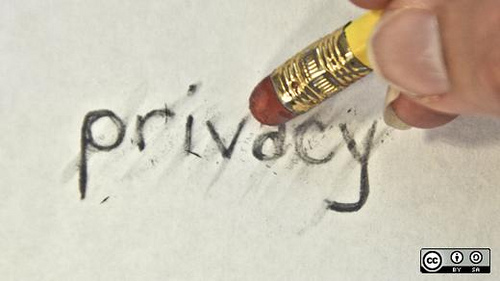
Childrens Privacy

Wedding dinners in the Klang Valley, can only be called wedding dinners if they have at least 3 video presentations, one of photos of the couples on their ‘pre-wedding’ shoots, one for their ‘wedding-day’ shoots and of course the ever popular ‘story of our life’ montage–where the couple walk you through photos of their childhood over what is usually a Kenny G soundtrack in the background.

My parents wanted to have a ‘photo montage’ of my baby pics during my wedding dinner, but not being much of a social person and I obviously opposed the idea, even going to the extent of sabotaging the effort (I cannot reveal the extent of sabotage for fear of incriminating myself)–unfortunately my father is a master story teller in his own right, and still managed to illustrate embarrassing stories of my childhood that almost caused me to blush, almost.

Now obviously, not everyone is like me, and some people rather like having their naked baby photos published for their wedding guest to see and that’s fine. Privacy after all is a personal choice, some people like to share some people don’t. The essence of privacy is contextual, and everyone should be entitled to their own choice.

Everyone including children!

It may sound peculiar to you, but children are human-beings too, they are entitled to the same choices you adults make, and making these personal decisions on behalf of your children isn’t just denying them the choice, it’s a denial of their civil liberty. Everyone is entitled to their privacy, whether that’s a over-grown buffoon like Bung Mokthar or a 7-year old child just wanting to pee without someone watching. If you don’t wish to share, you shouldn’t have to.

[Read more]

Best VPN for Malaysians : Privateinternetaccess

Secured_VPN

As you’ve probably gauged from my recent bout of paranoia, I’m a bit of a security-freak. My PC at home, not only runs an original version of Windows (something rare in Malaysia), but also multiple anti-virus and anti-malware suites, not to mention using EMET for even more security and a software firewall to boot.

So it sort of makes sense, that after taking all those pre-cautions I would also use a Virtual Private Network or VPN.

Now security isn’t the only reason to use a VPN, they also come in handy for accessing location based services like Netflix and Hulu. All in all they’re at least 4 good reasons to subscribe to a Virtual Private Network.

Reason 1: A VPN encrypts and secures all your outbound connections. This makes it difficult for anyone trying to ‘sniff’ your connection to see which websites you’re visiting. If you’re looking for a VPN provider to secure your connection, then look for one that implements OpenVPN, that provides the best security for this purpose.

Reason 2: A VPN allows you to access US based services like Netflix and Hulu. Here in Malaysia these providers block access from Malaysian IPs to their services–so if you want to watch Netflix, or even subscribe to Amazon, you need a US IP. If you’re looking for a VPN provider to give you this, then make sure they have a US gateway.

Reason 3: A VPN connection allows you to access blocked/censored content. In Malaysia, the government has been known to censor the internet, every once in a while. So if the government suddenly decides to block youtube, or if you wish to access those file sharing sites local ISPs have blocked, then a VPN is a great way to circumvent censorship. Remember that in 2008, the Government blocked a pro-opposition website, Malaysia Today, so this isn’t beyond the realm of possibility. *Not to mention that innocence of Muslims is censored on Malaysian youtube.

Reason 4: A VPN connection ‘anonymizes’ your IP connection. When you use a VPN to post a comment on a website online, the website won’t be able to trace your IP address, since only the IP address of the VPN provider would be visible to them. Beware though, that a VPN will only help anonymize the IP and not the content, you can leave online bread-crumbs in a multi-tude of ways, but a VPN connection helps mitigate that–somewhat. If you wish for a truly anonymous internet (like me), then look for a VPN that doesn’t log any data of it’s users.

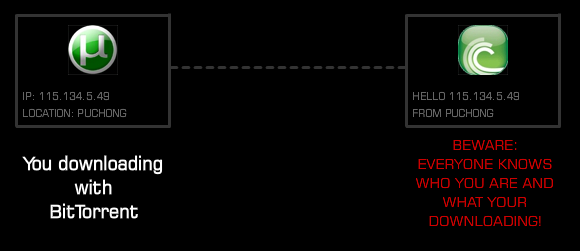
Reason 5: A VPN connection allows you bit-torrent without restrictions and anonymously. I’ve previously showed you how bit-torrent downloads could be traced to your IP address quite easily, but a VPN helps prevent that. Without a VPN, someone could do a quick search on your IP and determine what you’ve been downloading on bittorrent. Also VPN connections allow you to bypass certain restrictions and filters that your ISP may have in place to throttle bit-torrent downloads (note that Unifi doesn’t throttle torrent downloads). If you plan to use your VPN for this purpose make sure they don’t block torrent traffic. Just check out the advert below from the people at BTGuard.

BTGuard   Anonymous BitTorrent Services

So in short a VPN provides you extra security, extra anonymity, the ability to access location based services and the ability to bypass censored content online. So it’s really a no brainer at this point–if you want to truly get the most of your internet experience–you need a VPN.

[Read more]

Asus N12 HP: The best Unifi replacement router?

Update: 20-July-2014

Since writing this post, my 1-year old Asus router begun experiencing issues with its WiFi. My devices couldn't connect via WiFi, although the wired-Ethernet connections were fine. I called up Asus and they confirmed that my router was still under warranty, however I tried sending it to the many service centers listed on their websites to claim my warranty, I was told I couldn't do it. The only way for me to claim the warranty was to send it back to the Asus service center in Imbi Plaza, right in the heart of KL near the collapsed road.

I can’t recommend this router because the after sales service from Asus is terrible. The router cost just Rm199, but for me to claim my warranty would require a 1-hour car ride to KL, the cost of petrol, toll and parking would easily exceed RM40/trip, and I’d have to make 2 trips (might as well buy a new router at that point)/ I emailed Asus hoping they’d at least provide some other way of claiming warranty–postage for example, but they’ve re-iterated that I’d still need to go to Imbi to claim the warranty.

Bad service–and the quality of a router that fails after just a year is suspect as well, the D-Link Dir-615 router I have still works, but this more expensive router failed after just a year?!!

Wouldn’t touch Asus routers ever again! I’ve left the initial post below for you to view, but I would recommend TP-Link routers instead.

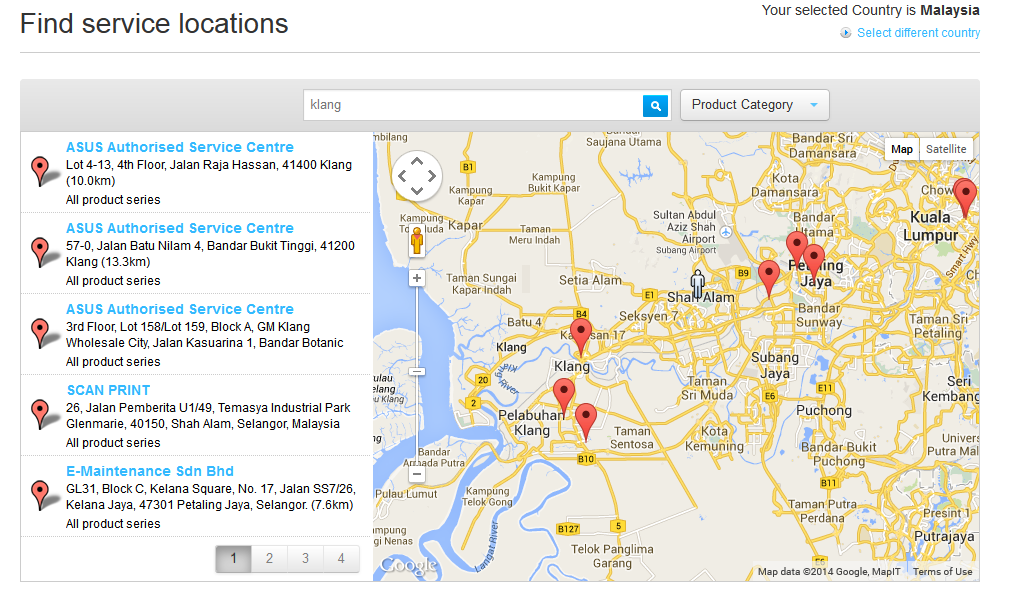
Screenshot of the 3 Asus service centers in Klang–none of which are service centers anymore (their contracts have expired), and Asus should remove them from the website.

[caption id=“attachment_4496” align=“aligncenter” width=“550”]

None of these are service centers anymore

None of these are service centers anymore[/caption]

Original Post below this line:


[caption id=“attachment_4003” align=“aligncenter” width=“550”]

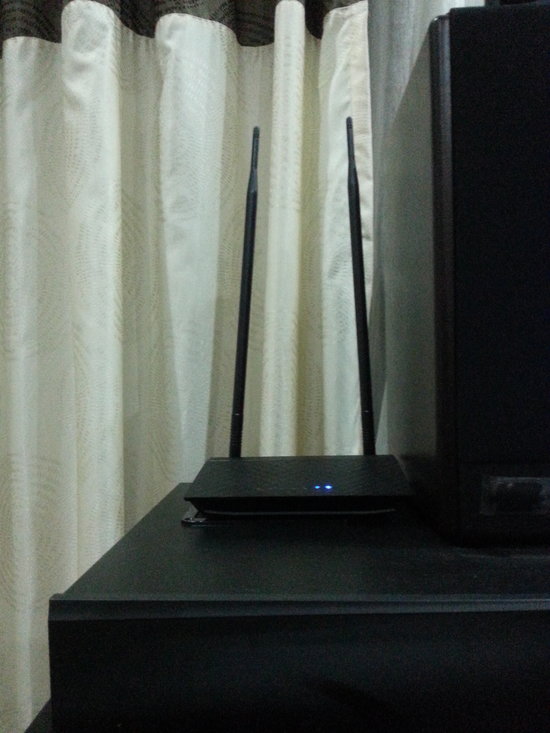
My rather un-professional grainy picture of the Asus router.

My rather un-professional grainy picture of the Asus router. Look at how Tall it is.[/caption]

The first thing you notice about the Asus N12HP is that it’s TALL, and I mean like if Yao Ming married Kareem Abdul Jaabar and had kids it would like this router. Those long antennas really make the router look like a child who’d undergone a growth spurt in the all the wrong awkward places.

Now don’t get me wrong, the standard D-Link router that TM provides you FOC with every Unifi connection is actually a pretty good router, but if you want something with a bit more oomph! then you may have to look to Asus to provide that. Is it really worth changing your Dlink, and is the Asus N12HP really the best replacement router out there?

Well…for one thing, this router Looks Good.

[Read more]

Hack TM Unifi: In case you’ve lost your default password

dir-615

There’s a lot of documentation online on how to hack your neighbours Wi-Fi, but sometimes you need to hack your own system. Usually its because you’ve change your router password and forgot it completely, leaving you in the cold desolate place we like to call “No router land”.

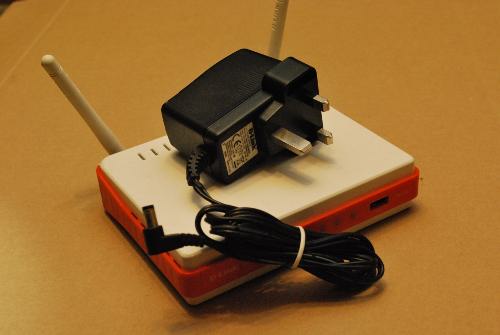
Don’t fear though, its actually pretty darn easy to hack your standard Dlink Dir-615 router (pictured above) that came stock with your Unifi subscription. Make no mistake, the router actually has some pretty sleek features, but Telekom Malaysia has a lackadaisical approach to security that makes hacking this router merely google searches away.

The default Unifi access credentials are:

Username : admin
Password :

Where the password field is literally left blank, (as it is).

However, if you’re locked out of your Unifi router, here’s a couple of things you could do to get your connection back:

[Read more]