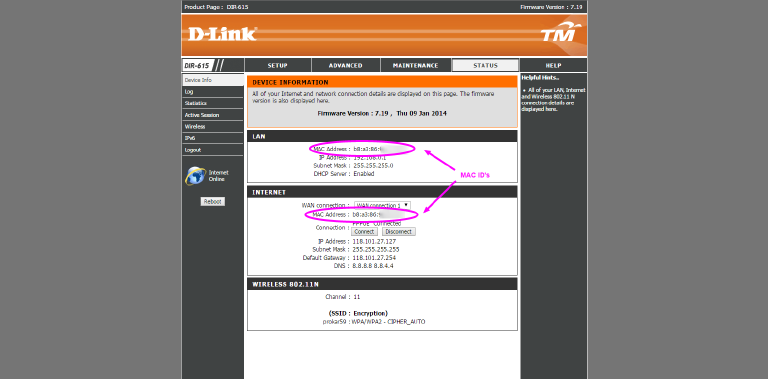
How to determine your Unifi router MAC ID
Step 1: Logon to your router
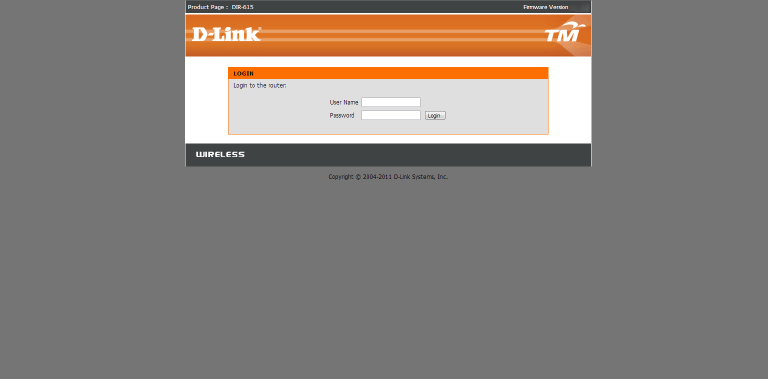
To logon to your router, fire up your web-browser (Chrome, Firefox, Safari–even Internet Explorer will do). In the address bar where you usually type www.google.com type http://192.168.0.1 (sometimes it’s http://192.168.1.1 ) or just click the link. Once there enter the username and password of the router. If you’re uncertain try any one of the following combinations:
Username: Management Password: TestingR2
Username : operator Password : h566UniFi
Username : operator Password : telekom
Username : operator Password : <your Unifi username in reverse order>
Otherwise refer to this post on how to find your router password. Click here, and look for option 3.
Step 2: Click on the status button
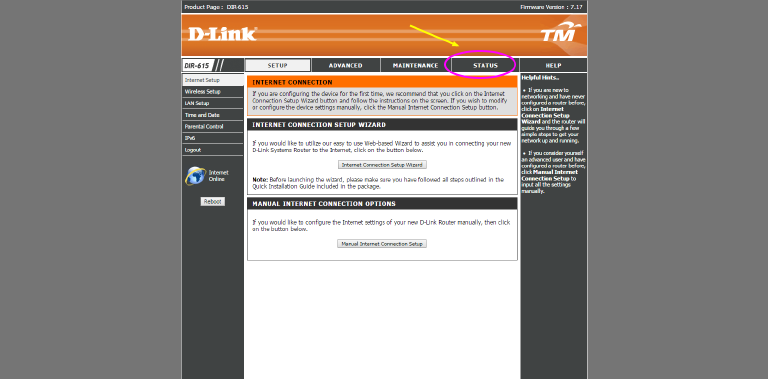
Hit the status button on the top right hand of the page (refer to the picture above). It’ll take you to the status page which should display your MAC ID in the clear.
Step 3: Get the MAC ID
Your MAC ID for both the LAN and WAN should be presented in the clear on this page. Here you can cross-reference to check your MAC. Your MAC ID is something your router broadcast together with the SSID--although you (as a human) won't see it, other computers and wi-fi enabled devices will see it. It's essential for communications between network devies.